How to Reduce Manual Data Entry Using ERP
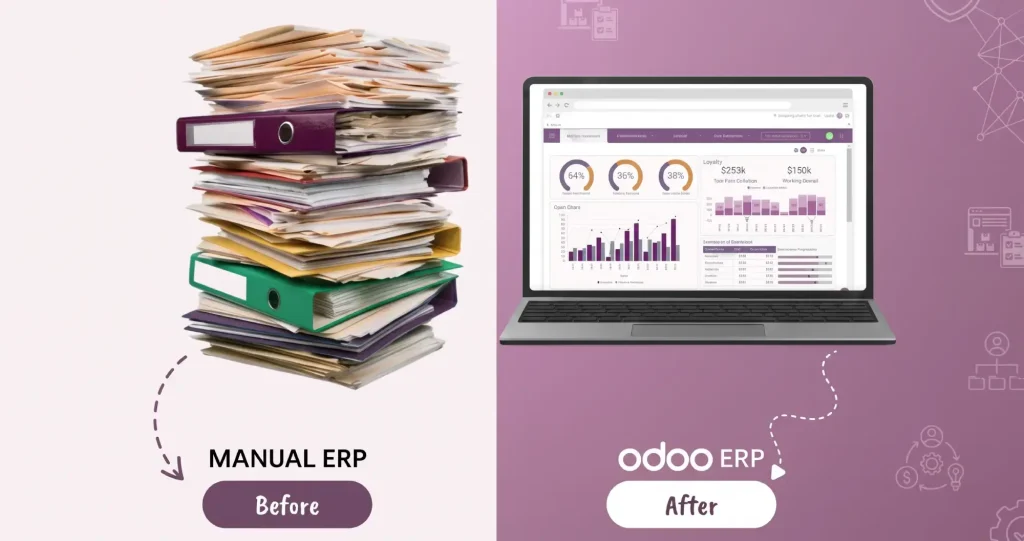
Entering the same information again and again can waste a lot of time and lead to mistakes.
For example, a worker may enter a customer’s name and order into one system. Then, another worker may enter the same information into the inventory system. Someone in the accounts department may enter it again to create an invoice. This means the same information is being entered three times.
An ERP system can help stop this repeated work. It keeps business information in one connected system and allows data to move automatically from one process to another.
Instead of typing the same information several times, employees can enter it once and let the ERP handle the rest.
Special Mux Tech Digital Offer
Why is Manual Data Entry A Problem?
Manual data entry may look like a small task but it can take many hours when a business has hundreds or thousands of transactions.
It can also create problems such as;
- Repeated work
- Typing mistakes
- Late reports
- Slow work
- Different records
ERP automation helps businesses enter the information one time and send it to the right places when required instead of typing it over and over.
How Does ERP Reduce Manual Data Entry
An ERP connects different parts of a business such as sales, purchasing, inventory, financing, manufacturing and other departments.
When something happens in one part of the business, ERP can automatically update the information in the other areas of business.
1. Keep Business Data in One Place
An ERP keeps important business information in one connected system.
This data includes;
- Customer information
- Supplier information
- Products details
- Sales order
- Purchase orders
- Inventory records
- Financial information
For example, when a customer is added to the ERP, the sales and accounts teams can use the same customer record. They do not need to create a new record for the same customer. This saves much time and also keeps the information consistent.
2. Connect Your Business Software
Businesses use several softwares for different jobs.
For example, a business may use;
- CRM software for customers
- An online store for sales
- Accounting software for money
- Warehouse software for stock
If these systems do not work together, employees may have to copy information from one system to another.
ERP integrations can connect these systems. Information can then move between the systems automatically through APIs, connectors and other integration tools.
For example;
Online order → ERP → Inventory update → Invoice → Delivery
3. Automate Sales Orders
Sales teams often have to enter the customer and order information more than once.
For example, when a customer places an order through an online store. An employee may then copy that order into ERP.
But, with a proper integration, the order can move directly into ERP. Then the ERP can update the stocks, start the delivery process, create an invoice or trigger other tasks.
This means employees do not have to type the same order details again.
4. Automate Invoices and Documents
Businesses receive many documents everyday.
These can include;
- Invoices
- Receipts
- Purchase orders
- Delivery documents
Typing all this information into ERP takes time.
OCR and AI based tools can read information from these documents. They can pick out details such as supplier’s name, invoice number, date, tax, quantity and total amount. This information is then sent to ERP.
However, the process should not stop after reading the document. The information should also be checked and then saved before processing.
5. Update Inventory Automatically
Keeping the track of stock can also involve a lot of data entry.
Every time a business buys, sells, receives or moves a product, the stock record needs to be changed.
An ERP can do this automatically.
For example;
Product received → Stock goes up
Product sold → Stock goes down
Product moved → Stock changes location
Businesses can also use barcode scanners. Instead of typing every product’s number by hand, employees can just simply scan the barcode.
6. Automate Purchase Work
Buying products from the supplier often involves several steps.
Someone may need to create a purchase request, get approval, create a purchase order, record the goods and enter the supplier’s invoice.
An ERP connects these steps.
For example;
Purchase request → Approval → Purchase order → Goods received → Invoice
Once information is entered, the ERP can move it to the next step without asking an employee to type everything again.
7. Use Templates and Default Information
Not all automation needs advanced technology.
ERP templates and default values can also save time.
For example, a supplier record may already contain;
- Payment terms
- Tax information
- Accounting details
- Supplier address
Employees do not need to type this information every time they make a transaction.
8. Automate Approvals
Businesses often use emails and messages to ask for approvals.
For example, an employee may send an email to a manager asking for approval to make a purchase. The manager approves it, then another employee updates the record.
An ERP can make this process easier. The system can automatically send the request to the right person.
For example;
Purchase request → Manager → Finance → Procurement
ERP can also record who approved the request and when. The decision is still made by the employees. ERP simply handles the movement of information.
Where Can ERP Reduce Manual Data Entry
ERP automation can help in many parts of a business.
Some of them are;
- Sales
- Inventory
- Purchasing
- Finance
- Manufacturing
- Reporting
- E-commerce
The amount of automation depends on the ERP and the software connected to it.
Where Can ERP Reduce Manual Data Entry
Simply buying an ERP does not mean all the manual work will disappear.
The business needs to set up the system correctly.
Find the Tasks That Waste the Most Time
First, look for the tasks where employees repeatedly type or copy information.
For example;
- Entering orders
- Creating invoices
- Updating stock
- Copying customer details
- Moving information between spreadsheets
- Sending approval requests
Start with a task that happens often and takes much time.
Clean Your Data First
Good automation requires good data.
Before connecting systems, check your customers, products and supplier records. Make sure names, product codes, tax information, prices and other details are correct.
For example, if the same product has three different product codes in three different systems, automation may create problems instead of solving them.
Clean and standard data makes automation much easier.
Automate One Process at a Time
Do not try to automate the whole business in one day. Start with one process at a time.
For example, you could start with invoice processing. You should test it, find problems, fix them and then move on to the next one.
This makes the change much easier for both business and employees.
Add Rules to Catch Mistakes
Automation should not accept every piece of information without checking it.
An ERP can use rules to find problems such as:
- Missing information
- Duplicate records
- Wrong product codes
- Incorrect amounts
- Unusual transactions
If something looks wrong, the system can send it to an employee for checking. This allows the system to handle normal tasks while people deal with unusual cases.
How to Know If ERP Automation is Working
After the automation is set up, check whether it is actually saving time.
You can track;
- Time spent on data entry
- Number of manual entries
- Number of mistakes
- Duplicate records
- Invoice processing time
- Order processing time
- Inventory corrections
- Number of automatically processed transactions
For example, if your employees used to spend 20 hours every week entering invoices, check how much time they spend after automation.
This gives you a clearer picture whether the new process is helping or not.
Benefits of Reducing Manual Data Entry with ERP
Reducing manual data entry with ERP can make everyday business work faster and more accurate.
Key benefits include;
- Saves time
- Reduces errors
- Improves data accuracy
- Speeds up workflows
- Improves productivity
- Provides better visibility
- Reduces operating costs
Frequently Asked Questions
No, an ERP can reduce a large amount of repetitive data entry, but some tasks still need human input or approval. ERP can handle routine work while employees handle important decisions and unusual cases.
ERP systems can use one central record, automatic workflows, validation rules, and integrations. This reduces the number of times employees have to type the same information.
Yes. Many ERP systems can connect with CRM, e-commerce, POS, warehouse, payment, and other software. The exact option depends on the ERP and the software you want to connect.
Start with tasks that happen often and take a lot of time. Order entry, invoice processing, inventory updates, and purchasing are common examples.
Conclusion
Reducing manual data entry with an ERP is about making the work much easier. Instead of entering the same information many times, employees can enter it once and let the ERP move it to the right place. Businesses can reduce manual work by connecting their software, automating orders and invoices, updating inventory automatically, using document scanning, and creating approval workflows.
The best way to start is simple: find one repetitive task, automate it, check the results, and then move to the next one. This way, the ERP does the boring and repeated work, while employees can spend more time on work that needs human thinking.
Recent Post
How to Reduce Manual Data Entry Using ERP
How to Reduce Manual Data Entry Using ERP Entering the same information again and again can waste a lot of...
Follow Us
Stay connected with Mux Tech Digital for the latest updates, tips, and insights in Today’s World. Join our community to explore innovative solutions that can transform your business!
Grow Your Business With Us
At MuxTech Digital, we provide customized solutions for digital marketing, graphic designing, and software/website/portal design and development. We help you grow your business, increase your online presence, and reach your goals.