How to Manage Manufacturing With Odoo
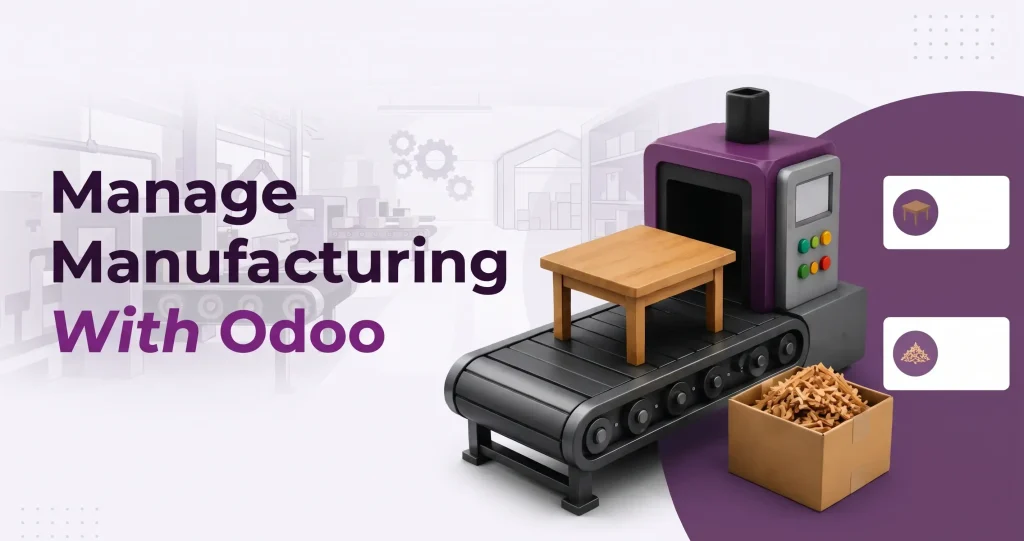
Managing manufacturing involves more than producing goods. Businesses need to coordinate raw materials, production orders, workstations, inventory and finished products while keeping the entire process visible and organized. When these processes are handled manually or through separate systems, it can become difficult to maintain accurate inventory records, monitor production progress and avoid delays.
Odoo manufacturing provides a centralized system to manage these activities. It connects production with inventory, sales, purchases, and other business operations, allowing manufacturers to manage the entire production workflow through a single platform.
Odoo manufacturing brings these activities together in one system. From creating a Bill of Materials (BoM) to completing production and updating inventory.
Special Mux Tech Digital Offer
How Odoo Manufacturing Works
The basic manufacturing process in Odoo follows a simple workflow;
Product setup → Bill of Materials → Manufacturing Order → Component availability → Work Orders → Production → Finished goods
The exact number of steps can vary depending on the warehouse configuration. Odoo supports one step, two step and three step manufacturing workflows.
How to Manage Manufacturing in Odoo
Managing manufacturing in Odoo works in several steps.
These steps are;
1. Set Up Products and Bills of Materials
Start by creating a product you want to manufacture and defining its Bill of Materials. A BoM lists the components and quantities required for the finished product.
If the production involves multiple stages, you can also add manufacturing operations to the BoM. This information is later used to create the relevant work orders.
An accurate BoM gives Odoo the information it needs to determine which materials and operations are required for the production.
2. Create a Manufacturing Order
Once the product and BoM are configured, create a Manufacturing Order (MO) from the manufacturing application.
Select the product and the production quantity. If the product has an associated BoM, Odoo can automatically populate the required components and work orders. Review the details and confirm the MO to start manufacturing.
3. Check and Manage Components
Check whether the required components are available before starting production.
Depending on the warehouse configuration, components may need to be transferred from storage to production location before the manufacturing starts.
Keeping components movements updated helps maintain accurate inventory records and reduce the risk of delays in production.
4. Process Work Orders
If the BoM includes manufacturing operations, Odoo creates work orders for those operations.
Workers can process them from the Manufacturing Order or through the Shop Floor interface. They can start and complete each operation while Odoo records the time spent on the work order.
For processes where one operation must happen before another, Odoo also supports work order dependencies. This helps keep production activities in the required sequence.
5. Complete Production and Update Inventory
After all required work orders are completed, register the quantity produced and mark the Manufacturing Order as done.
Odoo then records the manufactured products in the inventory. In a multi-step workflow, the finished products can subsequently be transferred to their designated storage locations.
This connects production activity with the inventory records without requiring separate manual updates.
Key Features of Odoo Manufacturing
Odoo provides several tools to manage different parts of production;
- Bills of Materials: Define components and production requirements.
- Manufacturing orders: Plan and track individual production jobs.
- Work orders: Break production into specific operations.
- Work centers: Organize operations around production areas or equipment.
- Inventory integration: Track components and finished products.
- Work order dependencies: Control the sequence of production operations.
- Production planning: Schedule manufacturing activities and manage production timelines.
1. Keep Bills of Materials Accurate
Update component quantities and operations whenever the manufacturing process changes. An outdated BoM can lead to incorrect material requirements and production records.
2. Monitor Material Availability
Check component availability before starting production. This can help prevent delays caused by shortage of material.
3. Use Work Orders for Multi Stage Production
If production involves several operations, use work orders to make each stage easier to track and manage.
4. Plan Production Carefully
Use work order planning and dependencies when operations must be completed in a specific order. This helps production teams organize tasks and manage work center capacity.
5. Keep Inventory Records Updated
Record component consumption and finished products quantities accurately so inventory levels remain reliable.
Benefits of Managing Manufacturing with Odoo
Using Odoo for manufacturing can help businesses;
- Centralized production information
- Improve visibility across manufacturing operations
- Track raw material and finished goods
- Reduce manual data entry
- Organize production operations
- Monitor manufacturing timelines
- Connect production with inventory timeline
Frequently Asked Questions
To create a manufacturing order, open the Manufacturing application, create a new Manufacturing Order, select the product and quantity, choose the relevant Bill of Materials, and confirm the order.
Yes. Odoo can track the components required for production and connect their inventory movements with manufacturing orders. This allows businesses to monitor material availability and consumption.
There is no fixed time for it. It depends on the amount of data, its quality, number of Odoo applications and whether historical information needs to be migrated.
Yes. Odoo can manage production involving multiple operations through work orders and work centers. Businesses can also configure dependencies to control the sequence of manufacturing activities.
Yes. When a manufacturing order is completed, Odoo records the produced quantity and updates the relevant inventory records according to the configured manufacturing and warehouse workflow.
Final Thoughts
Odoo makes manufacturing easier to manage by connecting the major stages of manufacturing in one system. Businesses can define their products and BoMs, create Manufacturing Orders, manage components, process work orders and record finished goods without relying on disconnected systems.
For best results, focus on maintaining accurate BoMs, keeping inventory information updated and configuring the manufacturing workflow according to how your production actually operates. With a right Set-up Odoo can provide a clearer and more organized way to manage day-to-day manufacturing operations.
Recent Post
How to Reduce Manual Data Entry Using ERP
How to Reduce Manual Data Entry Using ERP Entering the same information again and again can waste a lot of...
Follow Us
Stay connected with Mux Tech Digital for the latest updates, tips, and insights in Today’s World. Join our community to explore innovative solutions that can transform your business!
Grow Your Business With Us
At MuxTech Digital, we provide customized solutions for digital marketing, graphic designing, and software/website/portal design and development. We help you grow your business, increase your online presence, and reach your goals.